Table of Contents
How Automated Dispatch Gets Crews to the Right Place
Single source of truth that updates in real-time
Previously: Your Crew Just Showed Up to the Wrong Job Site (Again) - Why three broken systems are costing you $3,375+ annually.
How Automation Fixes This
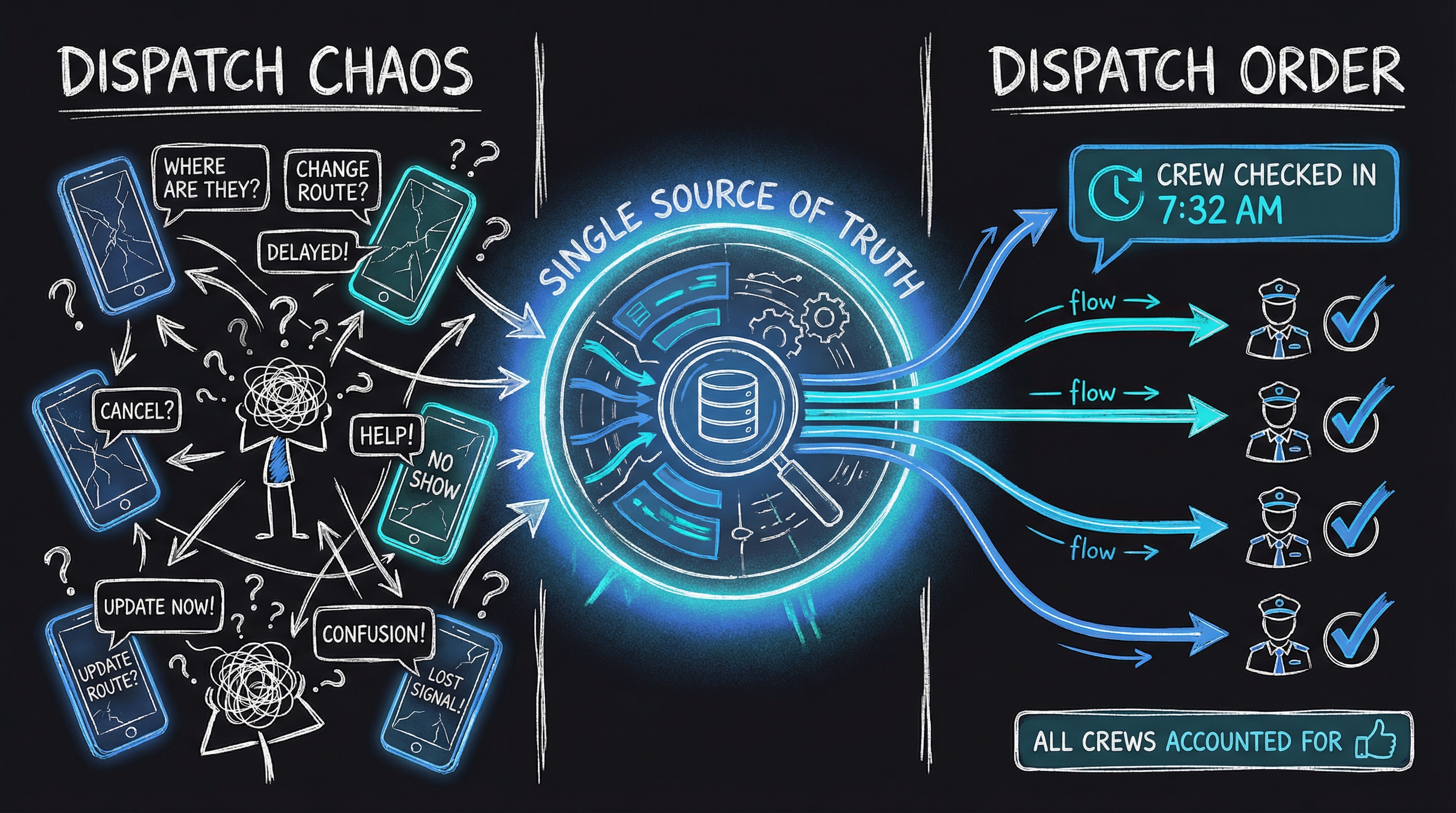
Automated dispatch systems don’t just “send better texts.” They create a single source of truth that updates in real-time.
Before: PM updates schedule → manually texts crew → hope they see it → pray they show up right place → field angry calls
After: PM updates schedule → system notifies crew instantly → crew confirms receipt on phone → GPS check-in at job site → automatic status updates
You wake up to “Crew checked in at 7:32 AM” notifications. Not “where am I supposed to be?” calls.
Real example: A roofing contractor in Arizona was losing 10-12 hours weekly to scheduling confusion. After implementing automated dispatch, wrong-site visits dropped from 3 per month to zero in 6 months. Overtime costs dropped 15% because crews started on time and finished on schedule.
What Actually Gets Fixed
Good dispatch automation connects:
- Central scheduling calendar - One view of all crews, all jobs
- Automatic crew notifications - Updates push to phones instantly
- GPS check-in - Crews confirm arrival at correct location
- Real-time status updates - You see “on-site” / “completed” / “delayed” without phone calls
- Customer notifications - “Crew arriving in 20 minutes” texts go out automatically
Your crew lead opens the app at 6:30 AM. Today’s jobs are right there. Address. Customer name. Special instructions. They tap “en route” when they leave the shop. Tap “on-site” when they arrive. You can see every crew’s status without asking.
The Competitive Edge
This isn’t just about fixing mistakes. It’s about looking professional while your competitors look chaotic.
When customers get “Crew arriving in 20 minutes” texts automatically, they don’t worry you forgot about them. When crews show up on time to the right address with the right materials, customers notice.
Your competitors are still running around with clipboards and group texts. You’re running a business that looks twice your size.
What It Takes
Implementing automated dispatch for construction crews:
- Week 1-2: Map current scheduling workflow and select platform
- Week 3: Configure crew assignments and notification preferences
- Week 4: Train crew leads and go live
Cost for contractors with 5-15 employees: $15,000-$30,000 one-time implementation. Most see break-even within 6-8 months from reduced wasted time alone.
Finding Your Solution
Every trade schedules differently. Roofers need weather contingency planning. Plumbers need emergency dispatch priority. HVAC needs seasonal maintenance routing.
The right automation fits your specific workflow—not a generic calendar app you’ll hate in 3 months.
Book Your 60-Minute Strategy Session →
We’ll map your current dispatch chaos, identify where automation creates the biggest impact, and build a specific roadmap for your business. $150, credited toward implementation.
FAQ
Will my crew actually use a scheduling app?
Modern dispatch systems are designed for field crews. Crew leads spend 30 seconds per day: check today’s schedule, tap “en route,” tap “on-site,” tap “complete.” Training takes 15-20 minutes.
Can automation handle last-minute schedule changes?
Yes. That’s the main benefit. PM updates the schedule at 3:00 PM, crew gets notification instantly. No more calling around or hoping they check the group text.
One-time investment, lifetime value. Break-even in 6-8 months, then it saves you hours forever.
AIL-3 | AI Transparency: This article was drafted with AI assistance and reviewed, edited, and approved by the author. All recommendations are based on 20 years of experience in the roofing and construction industry.